

 Back
Back
















How to Choose Fleet Tracking Software: A Buyer's Framework
Jul 15, 2026Most fleet tracking software fails on adoption, not on features. What follows is a buying framework weighted toward the things fleets end up relying on after the first ninety days, which tends to be a shorter list than what the vendor showed in the demo.
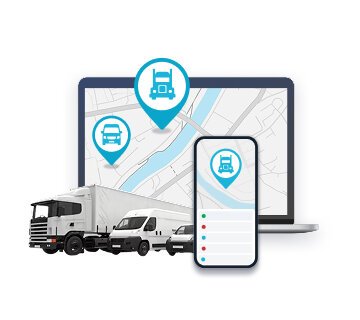
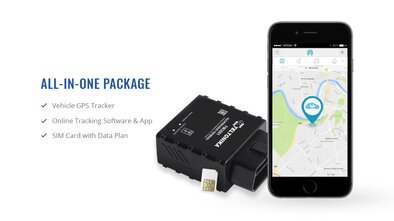
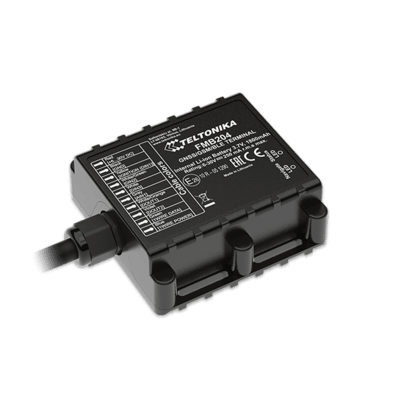
Definition: Fleet tracking software sits on top of GPS trackers and telematics hardware, pulling in the raw position and vehicle data and turning it into the maps, alerts, reports, and third party connections the fleet operates from. The tracker does the collecting, and the software is the screen a fleet manager has open all day.
Key Takeaways
- Four filters do the actual sorting in most fleet software purchases, and they run in this order: fleet size and vehicle mix first, then which features the fleet will turn on inside the first quarter, then total cost of ownership including the hardware and the contract structure, then whether the platform connects to the accounting, payroll, and fuel card systems the fleet already runs.
- The subscription portion of fleet management software pricing sits in a band from $15 to $50 per vehicle per month, where the position inside that band comes down to how deep the feature tier goes, how long the contract runs, and how many vehicles are on the account. [1]
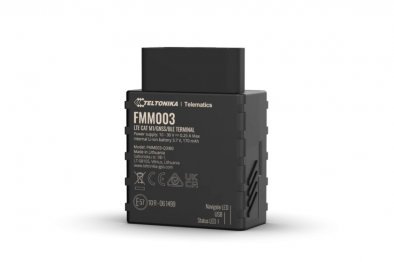
- Hardware sits separately at roughly $100 to $400 per device, plus installation when a hardwired install is required. [2]
- Per vehicle pricing is the billing model on the majority of platforms, though a handful of smaller fleet tools charge per user seat, and most vendors layer two or three subscription tiers on top of that per vehicle rate.
- The biggest source of buyer regret is overbuying. A fleet that ignores 70 percent of the features it pays for is paying for software it does not have.
- Filter 1: Fleet size and vehicle types
- Filter 2: The features you will actually use
- Filter 3: Total cost of ownership
- Filter 4: Integrations and exports
- The evaluation process that actually works
- What to ask in vendor calls
- 5 mistakes fleets make when buying tracking software
- Frequently asked questions
- The Bottom Line
Every fleet management product demo runs through roughly the same forty minutes. A live map, a few dashboards, a driver scorecard, a fuel report, and then a slide showing the integration partner logos. Forty minutes later, the buyer has seen everything the platform can do and very little about what the platform will be used for in their fleet, which is what actually determines whether the purchase makes back the subscription. [3]
What this guide covers, section by section: the four filters that sort most buying decisions, the pricing layers underneath the headline subscription number, which integrations actually matter at each fleet size, and the five mistakes that put fleets back into evaluation twelve months after signing.
Filter 1: Fleet size and vehicle types
Simplest filter of the four, and the one buyers skip most often because they assume every platform scales the same way. It does not. Some platforms were designed around fleets of three to fifteen vehicles, and those platforms work well at that count, with clean dashboards and fast setup, but start producing slow reports, clumsy alerts, and interface confusion somewhere above thirty. Others were designed for enterprise accounts and ship with multi week onboarding, dedicated account management tiers, and a level of workflow complexity that a six truck operator will never configure, let alone use. Buying the wrong direction produces the same result, which is a platform swap inside the year.
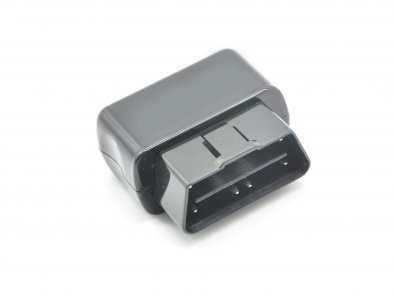
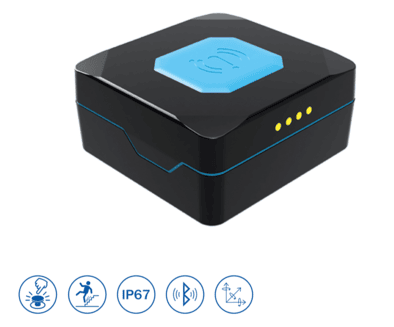
What the fleet drives matters as much as how many. A fleet of modern light vans plugs into OBD-II ports without a problem, because the port has been standard on passenger and light commercial vehicles since 1996 in the US and 2001 in the EU. Heavy trucks and coaches, on the other hand, run J1939 over the CAN bus, and a platform that does not support J1939 in both its hardware and its software cannot read engine data from those vehicles at all. Trailers, containers, generators, and any unpowered asset need battery powered trackers with their own reporting cadence, which not every platform handles. A mixed fleet, say twenty vans plus eight trailers plus a couple of generators, needs a single platform that covers all three device types on one screen, because running two separate platforms against one fleet is one of the more common and more expensive failure modes in this category.
Example: A six van service business picks an enterprise platform because the demo looked polished, then spends three months trying to configure a system that was designed around two hundred vehicle accounts. The contract gets cancelled inside the year, and a smaller platform replaces it.
Example: A regional carrier running forty trucks, twelve trailers, and a yard generator buys a small fleet platform that cannot accept battery trackers. Six months in, half the assets still have no tracking because the platform has no way to onboard them, and the whole setup has to be replaced.
Live map, trip history, geofence alerts
Location and dispatch are the baseline features every platform includes. The difference between platforms at this level is update frequency and how usable the trip playback is during a customer dispute. Most fleets solving only this problem fit the lower subscription tier.
Filter 2: The features you will actually use
A handful of feature categories account for most of the operational value in fleet tracking, and then there is a long tail of capabilities that go untouched for the life of the contract. [4] The honest filter is to take the list below, score each item against what the fleet is actually doing today, and set aside everything the fleet has no current operational problem for.
- Live map and trip history. The reason most fleets start looking for tracking in the first place, and every platform on the market has it. What separates them is how often the map refreshes and how usable the trip playback interface is when a dispatcher needs to pull a route during a customer dispute.
- Geofencing and alerts. Job site arrivals, departures, movement outside approved zones, after hours engine starts. After the live map, this is the feature fleets report using most consistently, because the alerts push to the manager without anyone having to check a screen.
- Driver behaviour metrics. Harsh braking events, rapid acceleration, aggressive cornering, speeding above posted limits. These pay back when an actual coaching process is built around the data. Useless when the scorecards are printed monthly and filed.
- Fuel reporting. Idle time tracking, fuel consumption reads, fuel card transaction matching. The feature that pays back the subscription on most fleets where fuel is a meaningful cost line.
- Maintenance scheduling. Mileage triggers, engine hour triggers, fault code routing into work orders. Pays back on fleets running scheduled fleet maintenance off paper or spreadsheets today.
- Compliance and reporting. Tachograph data downloads on EU heavy fleets, driver hours tracking, electronic roadworthiness inspection, mileage by jurisdiction for tax. Mandatory for some fleets, irrelevant for others.
- Routing and dispatch. Multi stop route building with optimization, customer facing ETAs, dispatch assignment and status tracking. Pays back on fleets that build new routes daily; overkill on fleets that drive the same routes every day.
The filter is binary. Either the fleet will use the feature within the first quarter, or the feature is not part of the purchase decision. A subscription tier purchased for a feature the fleet has not turned on six months later is a subscription tier that did not need to be paid for.
Filter 3: Total cost of ownership
The subscription number is what vendors lead with, and on most platforms it ends up being the smaller share of the total spend over the first year. Hardware, installation, training time, contract length, and whatever the integrations cost to set up all sit underneath it.
| Cost component | Typical range | Notes |
|---|---|---|
| Subscription per vehicle per month | €15 to €50 / $15 to $50 | Depending on tier, contract length, and fleet size [1] |
| Hardware per device (GPS / telematics) | €100 to €400 / $100 to $400 | Pre installation, by device type [2] |
| Installation (OBD plug in) | None or minimal | Driver or admin handles it |
| Installation (hardwired) | One off per vehicle | Professional installer or DIY |
| Onboarding and training | Often included | Charged extra on enterprise tiers |
| Integration setup | Sometimes free, sometimes paid | Depends on the integration and the platform |
Two cost questions deserve specific attention before signing.
Contract length and price lock. Signing annually instead of month to month typically saves somewhere between 10 and 20 percent on the per vehicle rate, and two or three year commitments push the discount further. What the fleet gives up in return is the ability to walk away if the platform turns out not to fit, which is not a hypothetical problem. Reasonable first purchase behaviour is annual, with multi year only after a full year of real use has confirmed the fit.
What sits behind paywalls. The split between tiers is not consistent across the category. On some platforms, advanced reporting and API access come included even on the base subscription; on others, those same features sit behind a premium tier that costs 40 to 60 percent more per vehicle. The tier comparison page, not the marketing landing page, is where a buyer finds out which side a given platform falls on. A fleet that needs API access to pull vehicle hours into its accounting software and discovers during onboarding that API is gated to the enterprise tier has just learned that a tier upgrade was always baked into the real price of the platform.
GPSWOX structures its fleet management software on a per vehicle model where the subscription tier, and therefore the monthly rate, scales with the depth of the data the fleet is actually pulling from its devices.
Filter 4: Integrations and exports
Almost no fleet runs tracking as its only piece of software. Accounting lives somewhere, payroll lives somewhere else, fuel cards have their own portal, and maintenance scheduling might be a third system or a spreadsheet. The tracking platform either connects to those or it stands alone producing data that someone has to carry across manually. [5]
Three questions tell a buyer most of what they need to know about a platform's integration side:
- API access. The first question is whether the platform exposes an open API on the tier the fleet is actually going to buy, not on a higher tier the fleet would need to upgrade to. An accounting system pulling vehicle hours and a payroll system pulling driver hours both depend on that access being available and included.
- Fuel card integration. Direct fuel card data import is the difference between a fuel report that takes thirty seconds and one that takes a day of manual reconciliation.
- Standard exports. CSV for accounting, IFTA ready exports for trucking, payroll exports for hours paid drivers. The fleet should look at the actual export formats during evaluation, not the marketing claim that exports exist.
Example: A fleet running eighteen service vans evaluates two platforms, both of which track driver hours. On the first platform, the hours export in a format the payroll software imports directly with no manual steps. On the second, the export comes out as a formatted PDF that someone in the office has to retype into payroll each week. The first platform is half a day a week cheaper on operations, regardless of the subscription difference.
The evaluation process that actually works
Every vendor demo runs through roughly the same sequence, which is why the demo on its own cannot tell a buyer whether the platform fits their fleet. The decision that sticks comes from putting the software through the fleet's actual daily workflows before the contract is signed. Three steps, in this order:
- Define the three problems the platform has to solve. Not “we want better visibility,” but specific operational problems the fleet would pay money to fix, like cutting fuel costs by identifying idle time, supporting IFTA mileage reporting without a manual spreadsheet, or automating the maintenance schedule so nothing runs past its service interval. If the problems are not clear, the evaluation has nothing to grade against.
- Run a free trial or pilot on at least two vehicles. Most platforms worth considering offer some form of short trial period or a pilot on a handful of vehicles. The pilot has to test the actual workflows the fleet will use, the dispatching, the alerts, the reports, the export into payroll, not a guided walkthrough where the vendor controls the screen.
- Reference calls with similar fleets. Same fleet size, same type of vehicles, similar use case. Ask one question specifically: what did the platform turn out to be bad at? Vendors do not answer that question. References do.
What to ask in vendor calls
Five questions, asked directly during the sales call, tend to surface more about a platform than the feature comparison page does:
- “Walk us through the actual onboarding timeline, not the marketing version. How many weeks until our dispatchers and drivers are using this without calling support?”
- “Which features do your customers most commonly turn off after the first three months?”
- “If we decide to leave after the contract ends, what happens to our data, and what format does the export come in?”
- “Our fleet might grow by a third over the next two years. What does pricing look like at forty vehicles, and what does it look like at eighty?”
- “When we call support with a problem, are we talking to a person or going through a chatbot first?”
The answers that narrow the field fastest are the ones the vendor is slow to give.
5 mistakes fleets make when buying tracking software
1. Buying for everything instead of buying for the actual workload
Enterprise platforms get sold on breadth, and buyers with twelve vehicles convince themselves they will eventually use advanced routing, maintenance automation, compliance dashboards, and the full analytics suite. In practice, most of those features stay untouched for the life of the subscription. The fleet that buys for the workload it actually runs today and upgrades only when a real operational need forces it spends less and gets more out of what it paid for.
2. Skipping the pilot
A buyer who signs off a forty minute demo without putting the software on a real vehicle first is the buyer who replaces the platform twelve months later. Even a two week pilot on two or three vehicles is enough to surface the things the demo did not show, like how long reports take to load, how the alerts behave on real routes, and whether the mobile app works reliably for drivers.
3. Ignoring contract terms in favour of monthly price
A platform quoting €10 less per vehicle per month sounds cheaper until the buyer notices the quote requires a three year commitment with an early termination fee. The total contract value matters more than the monthly headline.
4. Treating hardware as an afterthought
A fleet locked into a platform's proprietary hardware loses bargaining position on the next negotiation. Hardware agnostic platforms cost slightly more on subscription and considerably less when the renewal comes around.
5. Buying without checking the export side
Before signing, ask the vendor to show you exactly what a data export looks like, the actual file, not a description of it. A platform that is slow to answer the question “how does my data leave if we cancel” is a platform that has built its retention model around making it difficult to leave.
Frequently asked questions
How much does fleet management software cost?
The subscription portion runs €15 to €50 per vehicle per month on most platforms, where the exact position in that range comes down to which feature tier the fleet selects, how long the contract runs, and the total vehicle count on the account. [1] Hardware adds €100 to €400 per device pre installation, and hardwired installs add a one off labour cost per vehicle. [2] Total cost of ownership includes onboarding, training, integration setup, and the time cost of any features the fleet does not actually use.
What features do small fleets actually need?
For fleets under roughly twenty vehicles, the live map, trip history, geofence alerts, and basic driver behaviour scoring are the features that get used consistently. [4] Fuel reporting and maintenance scheduling pay back quickly on fleets where those represent real cost lines today. Compliance modules, advanced multi stop routing, and enterprise level reporting are features most small fleets can skip unless a specific operational requirement, like tachograph data management on EU heavy vehicles, makes one of them mandatory.
Can I switch fleet tracking platforms later if I outgrow the first one?
Switching is common, and the cost of doing it depends on three things: how much of the historical data the platform lets the fleet export and in what format, whether the GPS hardware in the vehicles is proprietary to that platform or works with other software, and whether the contract includes an early termination penalty. Asking about all three before signing the original contract makes the eventual switch considerably cheaper.
Should I buy hardware bundled with the software or separately?
The answer depends on what the fleet values more, simplicity or flexibility. Platforms that bundle proprietary hardware with the subscription simplify onboarding because everything arrives preconfigured and support covers the full stack, but the fleet cannot take that hardware to a different platform later. Hardware agnostic platforms accept trackers from multiple manufacturers, which means slightly more setup work on day one but significantly more bargaining power at renewal time, because the fleet can switch software without replacing every device in every vehicle.
How long does it take to onboard a fleet tracking platform?
A small fleet using plug and play OBD trackers can be live and seeing data within a few days, sometimes the same afternoon. Larger fleets with hardwired installations, driver training sessions, integrations into accounting and payroll systems, and compliance configuration typically need four to twelve weeks from contract signature to full operational use. Vendors that quote shorter timelines for large fleets are usually telling you about the software side and leaving the hardware install and integration setup out of the figure.
The Bottom Line
A tracking platform pays back when it fits the fleet that bought it, and the four filters above are how a buyer figures out whether the fit is there before the contract is signed, not after. Match the scale to the actual vehicle count and type, buy only the feature tier the fleet will turn on in the first quarter, look at total cost of ownership rather than the monthly headline, and verify the integration and export side during evaluation, not during onboarding.
Run the pilot on real vehicles, ask the five questions during the vendor call, and take the reference calls with fleets that match yours. A fleet that goes through that process buys once. A fleet that goes off the demo buys twice.
Article Sources
- Tech.co. “Fleet Management Cost Guide (2026): How Much Will You Spend?” https://tech.co/fleet-management/fleet-management-cost
- Expert Market. “Fleet Management Costs in 2026: Everything You Need to Know.” https://www.expertmarket.com/fleet-management/costs
- Capterra. “Best Fleet Management Software 2026.” https://www.capterra.com/fleet-management-software/
- Capterra. “Fleet Management Software Buyers Guide.” https://www.capterra.com/fleet-management-software/buyers-guide/
- Expert Market. “A Guide to Fleet Management Software.” https://www.expertmarket.com/fleet-management/software