

 Back
Back
















4.5.0
New GUI - Version 4.5.0
Status: Active Development
Additions
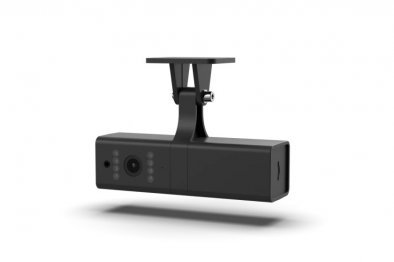
- Added dash cam video replay from the device SD/TF card, with a date and per-camera browser in the Camera / Media module (JC261)
- Added multi-camera support to the Dash Cam widget (beyond front and back) with a redesigned widget and modal
- Added dash cam intercom for JC261 and JC450: an operator can speak through the device speaker from the browser
- Added a per-tracker health status API endpoint that reports connection, data, decoding and GPS-fix status in a single call
- Added the ability to share routes, POIs and geofences, with the Sharing form reorganized into tabs
- Added auxiliary device connection support so camera media uploads and Teltonika AVL traffic can use the same tracker ID without interrupting each other
- Added support for N01K4G (GT06) trackers
- Added huabao trip start and trip end (travel data) report decoding
- Added a "Login form text color" appearance setting so the text inside the login form can be styled
- Added native gpstrack-go support for 44 additional device protocols migrated from the legacy stack: applet, armoli, blue, bws, c2stek, cautela, continental, dingtek, dmthttp, dragino, ennfu, fleetguide, flexapi, g1rus, gpsmta, gs100, hunterpro, kenji, m2c, maestro, mavlink2, maxitrac, milesmate, minifinder2, moovbox, motor, ndtpv6, net, niot, oko, outsafe, owntracks, telemax, thinkrace, tk102, tr900, trackbox, trakmate, tt8850, visiontek, xirgo, xrb28, xt013, ywt
Improvements
- Improved the Sensors widget to show full sensor values inline instead of truncating them
- Improved device handling so model changes apply to long-connected trackers without waiting for a reconnect
- Improved dash cam media capture with an upload-status API and camera-based file names
- Improved the API documentation for creating drivers
Fixes
- Fixed several device protocol decoder crashes identified in production monitoring
- Fixed a crash in the gl200 decoder for Queclink GV350M devices and improved location decoding across gl200 models
- Fixed a Teltonika decoder crash on packets with inconsistent IO counts
- Fixed devices staying shown as online after dropping their connection without closing it
- Fixed a meaningless driver ID being published when huabao devices report cell-tower data
- Fixed missing temperature and humidity parameters for Coban 405c devices
- Fixed an error when enabling the Active checkbox on a custom command alert
- Fixed the overview dashboard showing movement while a device was actually stationary
- Fixed a device showing both moving and parked states at the same time
- Fixed a meta error when generating certain reports
- Fixed incorrect fuel calculation for devices with two fuel tanks
- Fixed the fuel level sensor graph and widget showing incorrect values intermittently
- Fixed being unable to select a time in Expenses
- Fixed the driver name not showing in the widget when an RFID driver was assigned
- Fixed a missing icon when entering an address or coordinates for an object
- Fixed popup messages and the popup review button not working
- Fixed video not opening through the platform for some devices
- Fixed mixed-language interface when an administrator logs into a customer account that uses a different language
- Fixed slow push notification delivery
- Fixed email notifications not being delivered while the send queue appeared empty
Legacy GUI - Version 3.x.x
Status: Maintenance Mode (Bug fixes & limited improvements)
Fixes
- Fixed access tokens not being revoked after a password change
GUI Transition Notice
The Legacy GUI (3.x) is approaching end-of-life and receives only critical fixes.
All new features and UI enhancements are released exclusively in the New GUI (4.x).