

 Back
Back
















How GPS Fleet Tracking Works: From the Device to the Dashboard
Jun 15, 2026Watch the pin move on a fleet dashboard. It just got redrawn because data has finished moving through four separate pieces of tech in series: from the vehicle to a satellite, then to the cellular network, then to the platform, and then to your screen. The whole sequence took a few seconds.
Definition: GPS fleet tracking is the satellite location signal coming off a vehicle, sent over a cellular network to a software platform. What the platform does with that signal is convert it into the two things a fleet manager actually uses: the live map and the searchable trip history.
Key Takeaways
- Four pieces of technology sit between the moving vehicle and the dashboard: a device in the vehicle, the satellite constellation feeding it position data, the cellular network that carries the upload, and the platform on the receiving end of all of it.
- Standard fleet plans push a fresh position out of the device every five to thirty seconds while the engine is on, and the dashboard lags those updates by another few seconds on the receiving end.
- A single vehicle generates thousands of individual data points across a working day, and most of those come off the device’s vehicle data inputs and accelerometer rather than the GPS chip on its own.
- When a product page says “real time,” what it actually means is “a few seconds.” Tighter device intervals close that gap and run up the cellular data bill on the same curve.
- On their own, raw GPS points are just coordinates and timestamps. Everything useful to operations gets built on the platform side from those raw points: geofence alerts, idling reports, driver behaviour scores, and integrations into the operator’s accounting, dispatch, and compliance systems.
- Link 1: The device in the vehicle
- Link 2: The satellites
- Link 3: The cellular network
- Link 4: The platform and the dashboard
- Update rates and what “real time” actually means
- What the data chain produces and what it does not
- 5 chain link failures and how to spot them
- Frequently asked questions
- The Bottom Line
Real time tracking is the headline pitch on most fleet product pages. The mechanism behind that headline is longer and uglier than the marketing copy suggests. A position update reaching the manager’s screen has just been calculated by a chip in the vehicle, packaged with a handful of other fields, sent over cellular, ingested by a server, validated, checked against a rule set, and pushed out to the active browser tab. The whole sequence adds up to between two and ten seconds.
This guide takes that chain apart link by link. It also pins down what the words “real time” mean in practice, once the seconds at each step are counted.
Device (Tracker)
The hardware in the vehicle that calculates its own position and uploads it.
What is inside
- GPS receiver and antenna
- Cellular modem
- Microprocessor and firmware
- Flash memory buffer
- Accelerometer and gyroscope
Timing
Reports every 5 to 30 seconds with engine on; longer once stopped.
What fails here
Lost power, OBD plug worked loose, or coverage gap on the route.
Link 1: The device in the vehicle
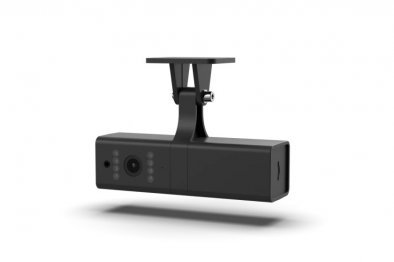
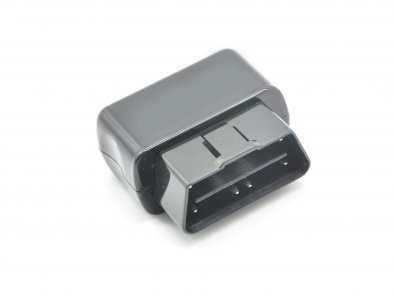
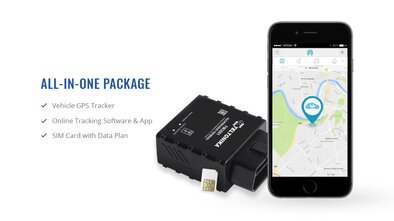
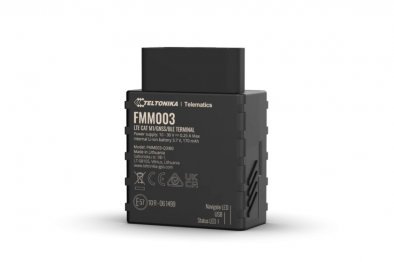
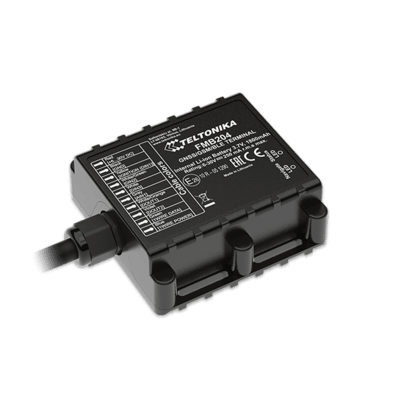
The hardware at the vehicle end is called a tracker. When that same hardware also reads vehicle data off the diagnostic port, the product label on the box switches over to telematics device. Open one up and the components inside are roughly the same across the market: a GPS receiver tuned to the satellite constellations; a cellular modem on the upload side; a microprocessor running the firmware; separate internal antennas for the GPS chip and the cellular modem; flash memory acting as a buffer when the network drops; a power management circuit; and an accelerometer and gyroscope pair recording movement events and harsh driving. [1]
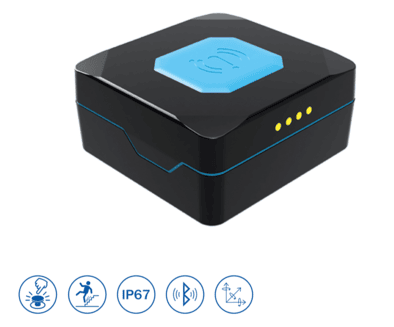
Three installation formats cover most of the market. The OBD2 tracker plugs straight into the onboard diagnostic port that has been standard equipment on light vehicles since 1996 in the US and from 2001 in the EU. Fitting it takes a few seconds, and the same port feeds both vehicle data into the tracker and power back out to it. The hardwired tracker draws off the vehicle’s 12V or 24V electrical system, with the unit itself tucked away behind a dash panel after the install. The battery powered tracker skips the vehicle wiring entirely and runs off its own internal cell, which is why it ends up on trailers, containers, and other assets without their own power supply.
How often the device reports back is a scheduled cadence, not a continuous stream. Engine on, the typical interval lands between five and thirty seconds. The exact rate depends on the subscription tier and the firmware configuration sitting underneath it. Turn the ignition off, or let the vehicle sit still for long enough, and the interval lengthens to save cellular data and conserve battery on devices running off internal cells.
Link 2: The satellites
The receiver in the device is locked onto a Global Navigation Satellite System, or GNSS. This is a constellation of satellites in earth orbit, broadcasting timing signals continuously. The American GPS constellation has the highest public recognition. A modern receiver also processes signals from Europe’s Galileo, Russia’s GLONASS, and China’s BeiDou simultaneously, which improves both the positional accuracy and the availability under marginal conditions. To solve for a position in three dimensions, the receiver needs signals from at least four satellites in view, and in practice, has many more than four available to it at any given moment.
The math behind the position fix is called trilateration. A precise timestamp gets broadcast by each satellite at the moment its signal goes out, and the receiver in the vehicle measures the small time difference between signals arriving from different satellites to back out the distance to each one. Once it has four or more distance readings in hand, the receiver solves a small system of equations for latitude, longitude, altitude, and a precise local time. [2]
One limit of the satellite portion of the chain matters in practice. GPS works on line of sight. The receiver has to actually see the satellites, and that fails in road tunnels, under multistorey car parks, and down between tall buildings in the deep urban canyons. Modern devices handle short outages by switching over to dead reckoning. The system combines accelerometer readings with the last known satellite fix to estimate where the vehicle is heading, and the device flips back to the satellite fix the moment the receiver picks up signal again.
Link 3: The cellular network
After the position has been calculated, the cellular modem on the device handles the upload. Each packet goes out over 4G LTE or 5G on most carrier networks, with 2G and 3G handsets and modems being phased out by carriers across most markets, although both are still in use on some networks. [3]
The data volume per upload is small. A standard position ping carries the latitude and longitude, the speed, the heading, a timestamp, the ignition state, and a handful of status bits. Whole packet, a few hundred bytes. Adding vehicle data on top of the position ping inflates the upload, but even with that loaded in, a single vehicle’s monthly cellular footprint comes out in the tens of megabytes range. Not the gigabytes. This is why the cellular data is normally bundled into the platform’s monthly subscription rather than billed by the megabyte on a separate carrier line.
Cellular is the link in the chain that fails most often in actual deployments. When the device is operating where there is no coverage, the points pile up in the device’s flash memory, and the queue clears out the moment a usable signal comes back. The trip history is complete once the buffer has cleared, although nothing was visible on the live map for the duration of the outage. [3] A few platforms offer a satellite backhaul option built into the device itself, available on a subscription tier above the standard cellular plan. The target market is fleets running through genuinely remote terrain: mining sites, oil and gas operations, large scale agriculture.
Link 4: The platform and the dashboard
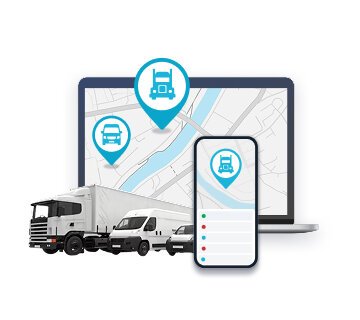
The server side is where most of the work the operator can actually see gets done. Each point coming in hits the platform, gets validated, gets written into the database, and then drops into the processing layer. What the processing layer does is convert the raw stream of GPS fixes into the features that show up on the manager’s screen:
- A live map view with the current position of every vehicle on it.
- A trip history with playback at variable speed, plus distance and duration calculated per trip.
- Geofence alerts that trigger any time a vehicle crosses into or out of an operator defined zone.
- Speeding alerts referenced against the speed limit on the road segment under the vehicle.
- Idling reports built up from the ignition state and the stationary time per location.
- Driver behaviour scoring based on the accelerometer event history.
- Maintenance reminders that fire on accumulated mileage or accumulated engine hours, whichever threshold the vehicle hits first.
- Export feeds and API endpoints that push data into the accounting, dispatch, and compliance software the operator is already running.
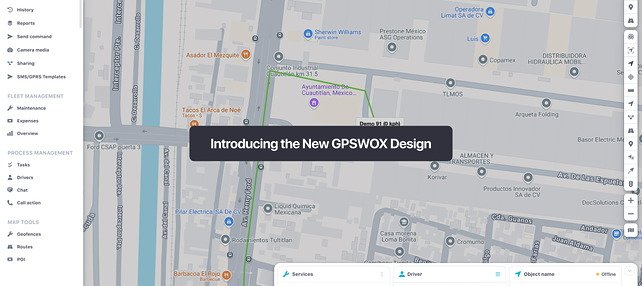
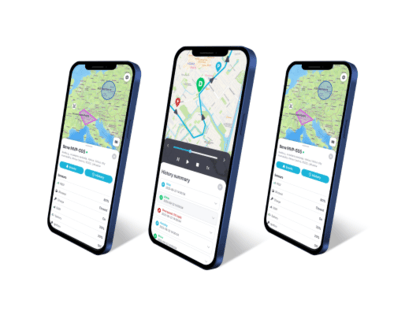
The dashboard is the platform’s front end, and it comes in two flavours: a web application for desk work and a mobile companion for managers who are out of the office on a given day. Most platforms ship with role based access turned on by default. Dispatchers land on the operational view, owners get the cost and utilisation reports, and finance pulls fuel and integration data through into the books.
The pipeline does not sleep. It ingests and processes around the clock. Take a hundred vehicle fleet through a single working day, and the platform will have ingested somewhere between several hundred thousand and a few million individual points. The latency from a position packet leaving the device to the icon on the manager’s screen catching up runs between two and ten seconds under normal conditions. [4]
Update rates and what “real time” actually means
The phrase “real time” gets used loosely across the fleet tracking market. There is no system on sale that delivers zero delay. That delay comes from three places. The first is the device, through its reporting interval setting. The second is the cellular network, through whatever load it is carrying at the moment of upload. The third is the platform itself, through the time it spends running each incoming point through its rule set.
Across the market, the cadence options fall into the rough buckets below:
| Update interval | Use case | Cellular data implication |
|---|---|---|
| 1 to 5 seconds | High value asset tracking, theft response, racing | Higher data usage, premium plans |
| 5 to 30 seconds | Standard fleet operations with active dispatch | Standard data usage |
| 30 to 60 seconds | Lower cost plans, low priority assets | Lower data usage |
| 5 to 30 minutes | Trailer and asset tracking on long life batteries | Minimal data usage |
| On event only | Passive trackers, low power deployments | Minimal data usage |
The tradeoff looks the same at every tier. A faster reporting cadence smooths out the map playback, tightens up the trip history accuracy, and triggers geofence alerts sooner after the trigger event. The price you pay shows up on the cellular bill on the carrier side and in battery life on devices running off internal cells. An active dispatcher running real time deliveries wants the interval pulled down somewhere near the ten second mark. A trailer sitting parked at a yard overnight needs nothing of the sort. Every fifteen minutes is plenty, and that cadence stretches the battery life out by months.
Example: A six van service business sets the active reporting cadence at fifteen second intervals for the working day, with each van automatically dropping back to a five minute interval once its engine has been off for two hours. The switch itself happens automatically on the platform side, without anyone having to reconfigure each van one by one. Monthly cellular usage on this setup stays comfortably inside the data allowance bundled with the subscription.
Example: A long haul carrier configures two interval rules. Five seconds while a vehicle is moving, and one minute once that vehicle has stopped with the engine off. Dispatch ends up with a clean, continuous trace along the interstate corridor. The device throttles itself back during service station stops to keep the data plan from running over.
Example: An asset tracking deployment on a construction trailer fleet works on two cadences. The default is one update every six hours while the trailer is parked. The instant the accelerometer registers movement, the interval drops to one minute. If somebody starts towing a trailer off site, the alert chain fires inside sixty seconds of the first movement. A parked trailer barely touches the battery for months at a stretch.
What the data chain produces and what it does not
A correctly functioning chain delivers location data, vehicle data, and event data on an ongoing basis. Interval gaps appear wherever the device’s reporting cadence and the local cellular coverage happen to leave them. What the platform does with that incoming feed is build the fleet manager an operational view. The view covers each vehicle’s current position, its history over a configurable window, every stop in that window with its duration, the driving behaviour between stops, and the engine readings the diagnostic port sent through across the whole thing.
What the chain on its own does not provide is a judgment on what the data actually means in operational terms. The platform can show the manager that vehicle 14 spent 45 minutes idling outside customer Y’s premises last Tuesday afternoon. Whether those 45 minutes were a legitimate loading dock wait, a long lunch break in the cab, or a driver running a personal errand on company fuel is not a question the platform can answer on its own. All the data has done is hand the manager a question that needs investigating. Where the investigation actually happens is off the dashboard, on the operations floor.
A GPSWOX fleet management platform sits at the far end of the chain described in this guide, ingesting the device feed and converting it into the maps, alerts, and reports an operator works from on a day to day basis.
5 chain link failures and how to spot them
1. The device shows offline while the truck is on the road
Operations confirm the vehicle is running. The dashboard has not received a position update from it in some time. The cause is usually one of three things: lost power on the device, an OBD plug that has worked itself loose in the port, or a coverage gap on the carrier network the vehicle drove into. Start at the power supply on the installation. If that checks out, confirm the OBD plug is fully seated in the port. Only after both of those have been ruled out should the last known position get cross referenced against the known coverage gaps on the route.
2. A position jump puts the vehicle in a city it has never visited
Two things produce occasional rogue position points: GPS multipath errors and brief fallbacks to network-based geolocation when the satellite fix drops out. Either one can drop a single point at a location that has nothing to do with where the vehicle actually is. Modern platforms run a filtering layer that catches the bulk of these rogue points automatically. The occasional one still makes it through. Nothing on the device side will fix this. Where the fix actually lives is on the platform. Specifically, in a rule that discards any point implying an impossible vehicle speed between consecutive updates.
3. The map refresh is running every two minutes when the plan specifies fifteen seconds
The fifteen second number on the plan is the device side cadence. That is how often the device itself reports to the platform. How often the dashboard in the browser actually refreshes is a separate setting, controlled both by the platform’s polling configuration and by the browser tab itself. Before you go assuming the device is malfunctioning, check the auto refresh interval on the dashboard side of the connection first.
4. The trip history finishes filling in hours after the trip ended
What happened is the device was buffering through a stretch of dead coverage and uploaded the queued points the instant cellular came back. That is the device behaving exactly the way the design specs say it should behave for a remote area outage. Nothing to investigate. There is one exception worth keeping in mind, though. If the same fill in pattern keeps showing up on routes that should have solid coverage (covered urban areas, well served motorways), then the next conversation needs to be with the cellular carrier or the SIM provider.
5. Engine data is missing while the location feed is working normally
What has failed in this scenario is the OBD or CAN bus connection on the device itself, while the GPS and cellular side of the same device are still up and running normally. On OBD trackers, the common cause is a mechanic having unplugged the port to read codes recently, and the tracker not having been fully seated back into it afterwards. On hardwired installs, the common cause is one of the data wires having come loose at the connector terminal.
Frequently asked questions
Does GPS tracking work without cellular service?
Active GPS tracking depends on the cellular link to push position data up to the platform. When the cellular signal drops below the modem’s working threshold, the live feed on the dashboard goes quiet. Almost every device on the market handles the outage by storing the position points to its own internal flash memory in the meantime, then clearing the queue to the platform once cellular comes back. What the manager sees afterwards is a trip history that fills in retroactively, and a gap on the live map for the duration of the outage itself. [3] A few devices offer a satellite backhaul option, available on a subscription tier above the standard cellular plan. The intended market is operations working in genuinely remote terrain: mining, oil and gas, large scale agriculture.
How accurate is GPS fleet tracking?
Under clear open sky, a standard fleet tracker running on GPS by itself comes within a few metres of true position. Receivers that pull GPS, Galileo, GLONASS, and BeiDou signals in at the same time, with signal augmentation enabled, bring that figure down further. Where accuracy drops off is in tunnels, indoor parking structures, and dense urban canyons. In those environments, the satellite signal either gets blocked outright by the surrounding structure or arrives at the receiver after bouncing off a nearby building face. [2]
How often does a GPS tracker update its position?
The cadence on a standard fleet subscription is five to thirty seconds with the engine on, and longer once the vehicle has either stopped moving or had the ignition switched off for a while. Asset trackers running on long life batteries play by a different set of rules altogether. Reporting cadences run as infrequently as once every several hours, and the payoff for that conservative reporting is a battery life measured in months or years rather than weeks.
What does “real time” actually mean in fleet tracking?
What it describes is a delay of a few seconds between a position packet leaving the device and that position rendering on the dashboard map. Those few seconds add up from three different sources. There is the device, which prepares and sends each packet. There is the cellular network in the middle, which carries the upload to the server. And there is the platform on the back end, processing each incoming point through its rule set. Most systems sold as real time land in the two to ten second range under normal operating conditions. [4]
How much cellular data does a fleet tracker use?
A standard tracking device sends a few hundred bytes for each position update, with telematics devices adding to that on the vehicle data side. Monthly data per vehicle works out in the tens of megabytes rather than the gigabyte range, which is why most fleet tracking subscriptions on the market bundle cellular data into the per vehicle, per month price rather than billing it separately.
The Bottom Line
GPS fleet tracking is four pieces of technology that have to work in sequence. There is a device that calculates its own position. There is a satellite constellation it relies on for the input. There is a cellular network it uploads through. And there is a platform processing the points into something usable. Each piece has its own failure modes and its own price implications. Knowing how the chain actually fits together is what separates a buyer who can ask the right questions during procurement from a buyer who is just reading a competitor’s product page back to the vendor.
For an operator, the brand stamped on the side of the device is rarely the choice that actually matters. It is the combination of three things: the update interval the operation needs, the cellular coverage across the territory the fleet works in, and the depth of the platform’s processing layer on the back end.
Article Sources
- Penn State University. “Common Features of GPS Receivers.” https://www.e-education.psu.edu/geog862/node/1781
- Federal Aviation Administration. “Satellite Navigation - GPS - How It Works.” https://www.faa.gov/about/office_org/headquarters_offices/ato/service_units/techops/navservices/gnss/gps/howitworks
- Federal Communications Commission. “Plan Ahead for Phase Out of 3G Cellular Networks and Service.” https://www.fcc.gov/consumers/guides/plan-ahead-phase-out-3g-cellular-networks-and-service
- National Library of Medicine. “Comparison of Global Navigation Satellite System Devices on Speed Tracking in Road (Tran)SPORT Applications.” https://www.ncbi.nlm.nih.gov/pmc/articles/PMC4299074/